Games · Meta Ray-Ban Display
EyeBots
Befriend small robots, explore a colorful world and build your team for turn-based battles.
Also known as EyeBots Meta · EyeBots Meta Display
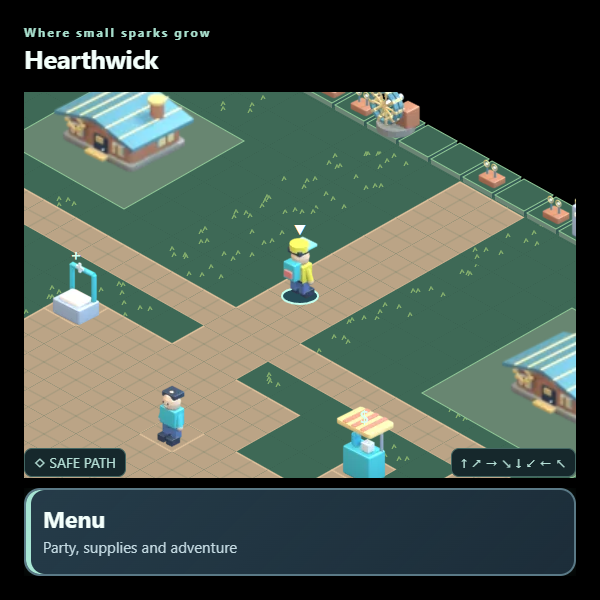
A closer look
EyeBots, in a nutshell.
A whole world of small machines. Choose your first robot partner and set off across Aster Reach, a world of workshops, hidden paths and curious mechanical companions. Explore at your own pace, meet Keepers and build a team with moves that work together.
Follow the GPU Circuit through eight regions, or venture below the surface for stories about forgotten machinery, lost records and the bots that keep everything running. Colorful Blender-made scenery brings the adventure to the Meta display.
- 160 robot forms to discover, with team-building and turn-based battles
- Eight regions, 125 areas and a circuit of Keeper challenges
- Optional expeditions with clues, machinery puzzles and useful tools
- Progress saves after each action; adjustable text size
Make it your own
Your setup walkthrough
Add EyeBots to your glasses
Scan the QR code with your paired phone and follow the Meta AI add-app flow. You can also copy the app link into Display Web Apps settings. Use the plain public link shown here.
Choose your first partner
Open EyeBots on the device you will play on. Select a starter robot and confirm your choice to begin. Each new browser starts its own adventure.
Explore, battle and return
Move into characters to talk, follow safe paths and enter marked salvage patches to find wild bots. Open the Adventure menu for your team, expedition journal and display options. Return using the same app address and browser to continue your saved adventure.
Built for your own setup
Your account and files
- The game includes original game content, with no creator account, private credentials or personal saved adventure.
- Your campaign is saved locally on the playing device. It does not automatically transfer between your phone, glasses, localhost or other EyeBots editions.
Inside the app
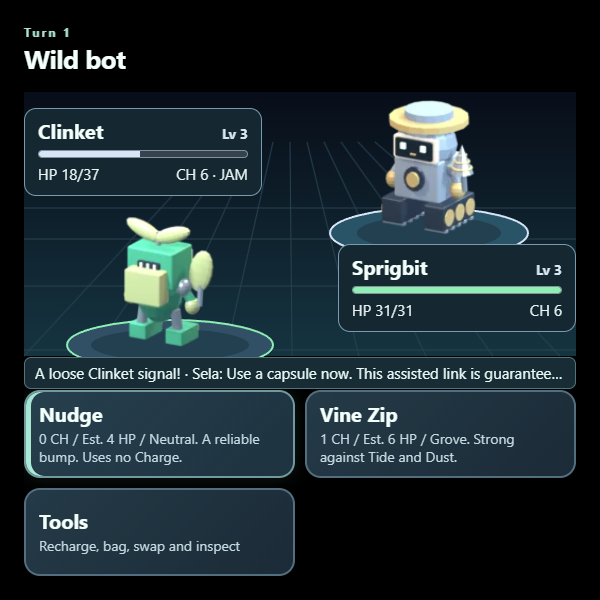
At your fingertips
- Use directional controls to move or highlight a choice; select/pinch confirms it.
- Move into a character or object to interact. Select in the field opens the Adventure menu.
- Choose moves directly in battle; Tools contains items and party swaps.
- Use the visible Back and Resume actions in menus. On a computer, arrow keys move and Enter selects.
- Adventure menu → Display options changes the text size.