Games · Meta Ray-Ban Display
Game Boy / Color
Play Game Boy and Game Boy Color games in a local emulator adapted for display-glasses controls.
Also known as GBA Emulator · Game Boy Emulator · Game Boy Color Emulator · GBC Emulator
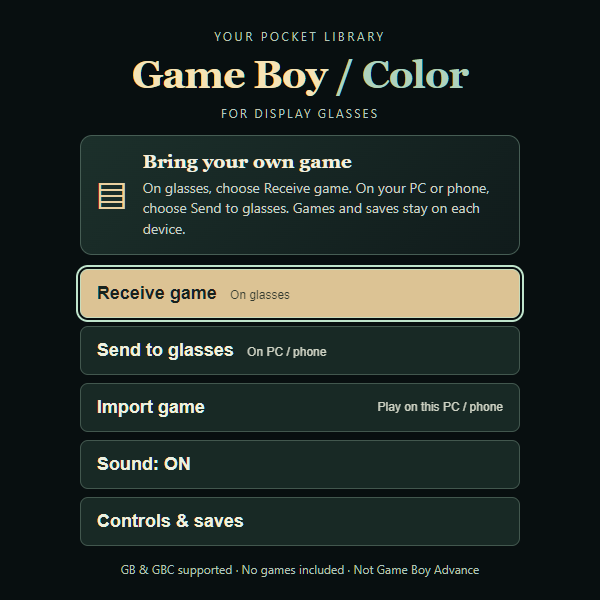
A closer look
Game Boy / Color, in a nutshell.
Bring your own Game Boy or Game Boy Color cartridge file. Send a copy from your PC or phone to the glasses with a temporary pairing code, then play from your device’s private library. No games are included.
- Send up to 10 of your own GB/GBC games with one temporary code
- Index pinch for A, middle-finger pinch for B and swipe-menu controls
- Normal, 2x and 4x movement per swipe
- Local cartridge saves and per-game snapshots
Make it your own
Your setup walkthrough
Get a code on the glasses
Open the app on your glasses and choose Receive game. Keep this screen open. The service may take a minute to wake up; the code expires after 10 minutes.
Send from your PC or phone
Open this same app on your PC or phone and choose Send to glasses. Enter the glasses code, choose an uncompressed .gb or .gbc file you are authorized to use (up to 8 MiB), then Send game. A file already imported on your PC must be selected again to send its copy.
Confirm each game, then play
Check the received filename on your glasses and choose Receive this game. Keep this screen open to send more files, one at a time, using the same code: up to 10 games within 10 minutes. When finished, choose Play last game or return to My games. Receiving another game with the same filename replaces the cartridge file and preserves its existing save.
Save before leaving
Use Save Now or Quit to Menu before leaving; Continue returns to that device’s saved game. Transferring a cartridge does not copy your PC or phone save. Import game is for playing directly on the PC or phone, not for sending to glasses.
Built for your own setup
Your account and files
- No games, creator saves or personal library are included. New visitors start with an empty library.
- Your selected file passes through a temporary HTTPS transfer service. It is held only in memory and deleted after confirmed receipt, cancellation or expiry. Pairing codes expire in 10 minutes.
- Anyone you share the code with can send to that session; confirm the filename on your glasses. The relay can access the transferred bytes. Transfers are not end-to-end encrypted.
- Received games and saves remain in that browser. There is no shared account, permanent cloud library, automatic synchronization or cloud save backup.
Inside the app
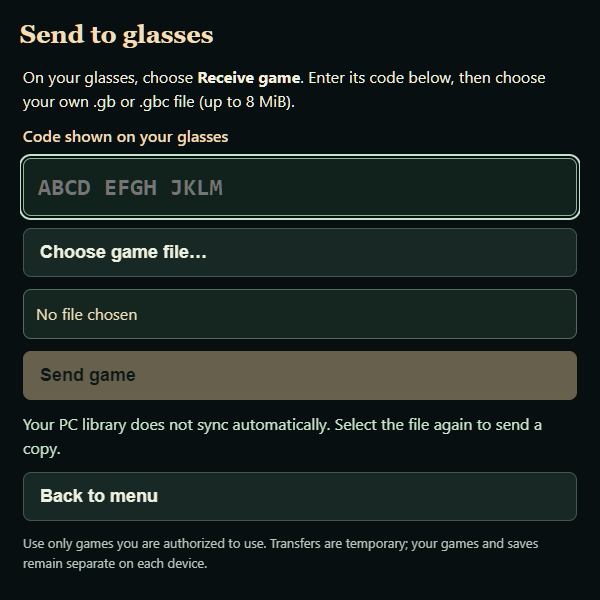
Screenshots show the public transfer interface before pairing or choosing a file. No game content, pairing credentials or personal library are included.
At your fingertips
- On glasses, choose Receive game. On your PC or phone, use Send to glasses with the code.
- Confirm Receive this game. Keep Receive game open to send more files with the same code, then choose Play last game or return to My games.
- Index pinch: A. Middle-finger pinch: B. Swipe up, down, up, down for Menu. Saved mappings are preserved; select Middle pinch: B in Menu if needed.
- In Menu, select Movement to cycle Normal, 2x and 4x D-pad presses per swipe. Game speed stays normal.
- Use Save Now or Quit to Menu before leaving, then Continue when returning. Middle-finger pinch goes back in app menus; from the main menu it exits.