Media · Meta Ray-Ban Display
Learning Guide
Explore science, history, economics and more through readable chapters and research explainers, one passage at a time.
Also known as Learning Guide Glasses · Study Guide
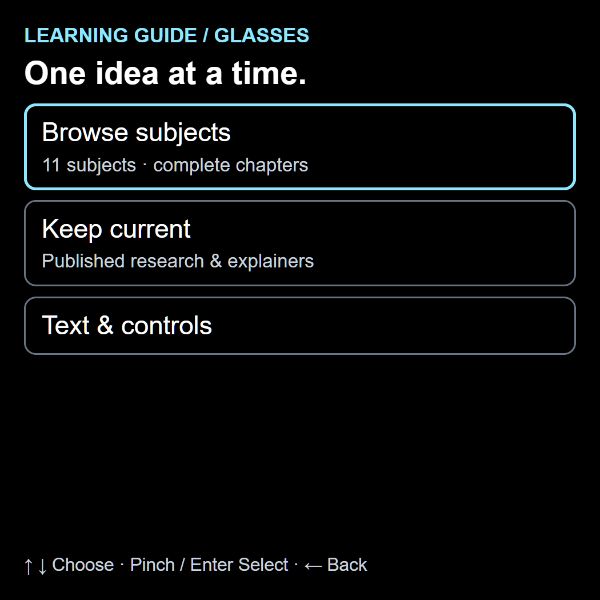
A closer look
Learning Guide, in a nutshell.
Why does a rock fall? How do markets work? What can a computer never do? Pick a subject and follow the ideas in short, readable pages built for the display. The original chapters keep their detail, examples and references.
Keep Current brings the guide’s published research summaries and reviewed plain-language explainers into the same reader. Jump between sections, choose a comfortable text size and return to your saved place.
- Browse complete chapters across the published guide’s subjects
- Read research summaries with findings, methods and limitations where available
- Choose from three text sizes and jump to a chapter section
- Resume chapter reading with a position saved on the current device
- Equations, diagrams, code and references retained; tables presented as labelled rows
Built for your own setup
Your account and files
- The reader uses local browser storage for reading positions and text size. Clearing site data removes those preferences and positions.
- The public app URL contains no personal account or saved-reading information.
- Complex diagrams and very wide equations may be easier to inspect in the regular Learning Guide.
Inside the app
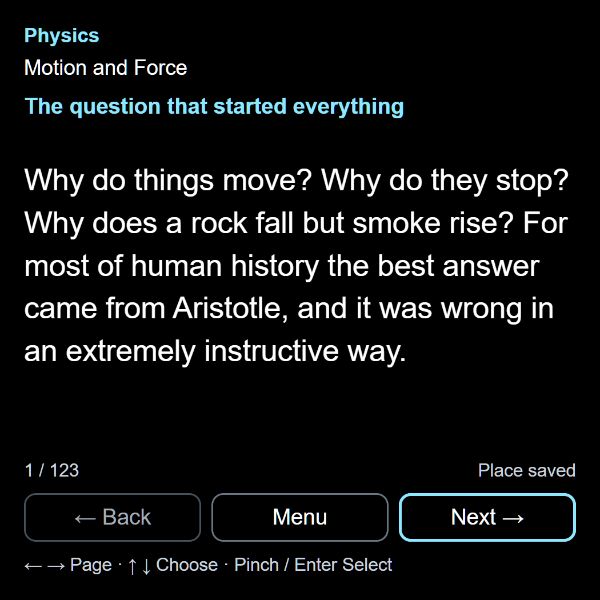
At your fingertips
- Use up/down to choose a button; pinch or Enter selects it.
- While reading, left/right turns pages. Select Menu for sections, chapters or text size.
- Use left to go back from menus. Touch and mouse controls also work in a phone or desktop preview.