Media · Meta Ray-Ban Display
Subverse
Read your Subverse feed, open posts and browse comments from your glasses.
Also known as MetaSubverse
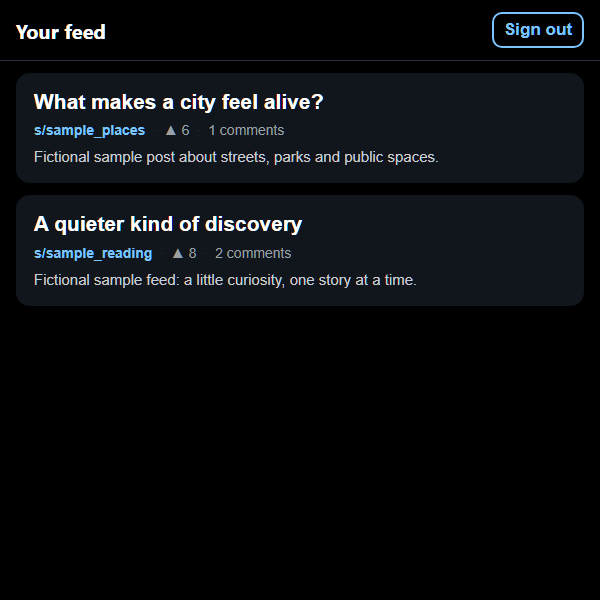
A closer look
Subverse, in a nutshell.
Catch up on posts and conversations from your existing Subverse account. The compact feed opens into a focused reading view, with comments available alongside the post. Opening a post marks it as read on your account.
- Browse post cards and topics from your feed
- Open posts and comments in a focused reading view
- Return to your place in the feed
Make it your own
Your setup walkthrough
Create or sign in to your own account
Use the Subverse signup link below to create an account with your own email and password, or sign in to an existing account. Choose topics in Subverse to build your own feed.
Find your own session token
On a computer where you are signed in to subverse.cc, open the browser’s developer tools. Under Application or Storage, select Local Storage for subverse.cc and copy the value named subverse_token. This is private account access; keep it to yourself.
Connect the glasses viewer
Open the viewer’s setup screen and paste your own token. It loads your account’s feed; it does not connect to the creator’s account. If your token expires, obtain a new one from your own session.
Sign out before switching users
Use Sign out to remove the account token, displayed posts and local reading history from this browser. Opening a post while signed in marks it read on your Subverse account.
Useful setup links
Built for your own setup
Your account and files
- No creator Subverse account, token, feed, private messages or reading history is included.
- Use an account and access token that belong to you. Sign out removes your local account details and reading history; another account starts separately.
- Opening a post marks it read in your Subverse account. The catalog screenshots contain clearly labeled fictional posts and comments.
Inside the app
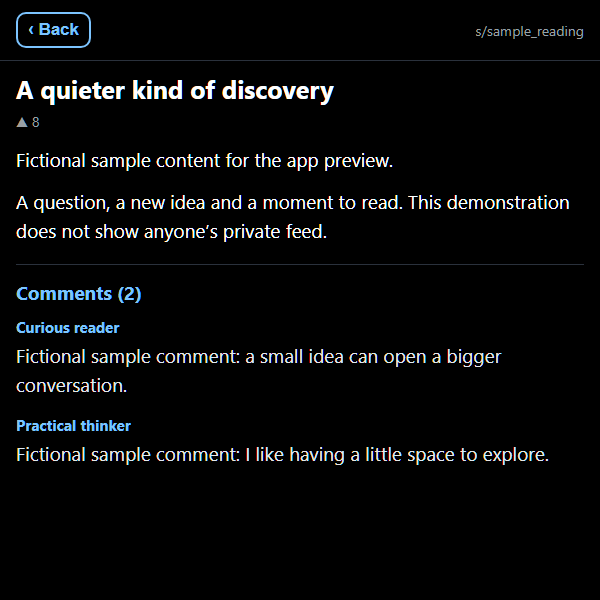
Screenshots show the real app interface with clearly labeled fictional posts and comments. No personal account was used.
At your fingertips
- Configure your own Subverse token in the app before opening the feed.
- Move between post cards, select a post to read it, then use Back to return to the feed.