Media · Meta Ray-Ban Display
TruePrint
Browse categorized news and read paged articles in a glasses-friendly TruePrint reader.
Also known as TruPrint
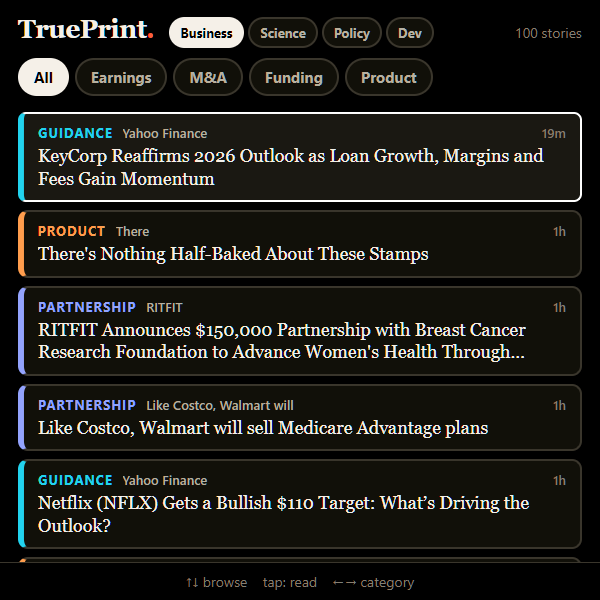
A closer look
TruePrint, in a nutshell.
A focused news reader for the moments between everything else. Browse the Business, Science, Policy and Dev editions, choose a headline, and move through the article a page at a time.
- Business, Science, Policy and Dev editions
- Directional category browsing and a compact story feed
- Paged article text with a quick next-story action
Make it your own
Your setup walkthrough
Add the public reader
Use this page’s QR code or copy its /glasses/ link into Meta AI. You do not need a TruePrint account or API key.
Choose what to read
Open the reader and browse the Business, Science, Policy or Dev edition. Select a headline, then use the page controls to read.
Built for your own setup
Your account and files
- TruePrint shows a shared public news feed. It does not include a creator account, inbox, personal reading list or private profile.
- No account, API key or signup is required for the glasses reader. News articles come from the hosted public news service.
Inside the app
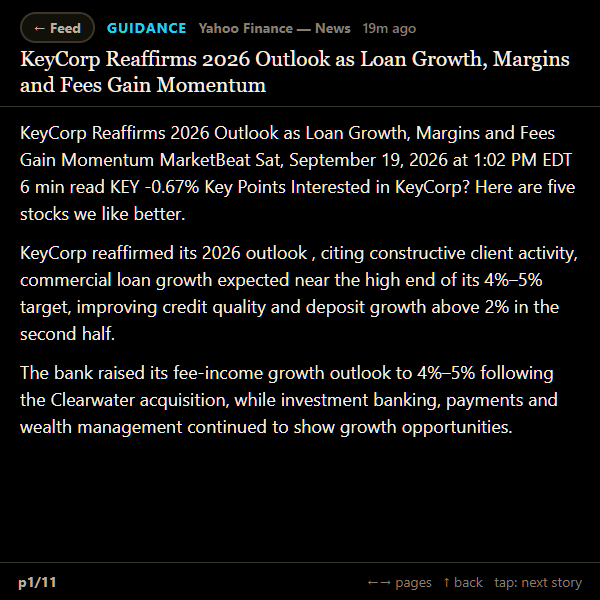
At your fingertips
- Move between news categories, then select a headline.
- Use the article page controls, return to the feed, or move to the next story.