Media · Meta Ray-Ban Display
YouTube
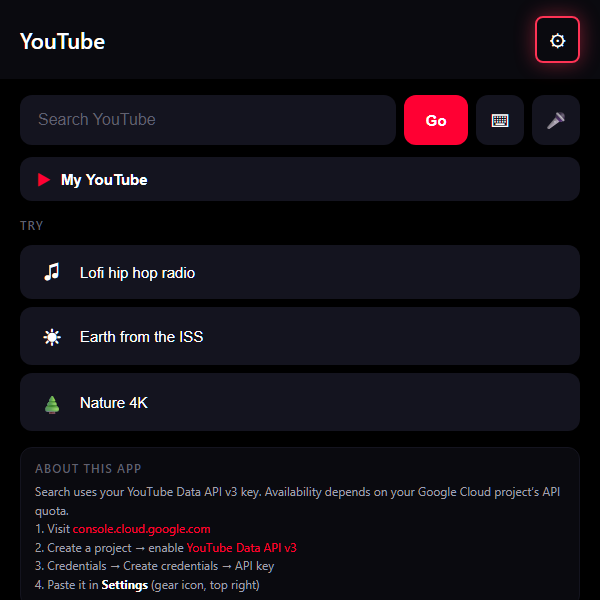
Search YouTube and watch supported videos in a viewer designed for display-glasses controls.
Also known as YouTube Viewer
A closer look
YouTube, in a nutshell.
Find a video, revisit a search, or browse public uploads from a channel you choose. This independent viewer uses YouTube search and the embedded player, with a compact interface for the display.
- Search, recent queries and preset searches
- Video playback through the YouTube player
- Optional public-channel uploads and playlists in My YouTube
Make it your own
Your setup walkthrough
Use your own Google account
Sign in to Google Cloud with your own account and create or select your own project.
Enable YouTube search
In that project, enable YouTube Data API v3. Open Credentials and create an API key. Restrict the key to YouTube Data API v3; any website restrictions must permit the app’s public origin.
Add your key in the app
Open the YouTube viewer on the device where you want to use it. In Settings, enter your own key and save. Do not add it to the public catalog URL or a shared QR code.
Choose your optional channel
Add your own public channel ID in Settings if you want My YouTube to show its public uploads or playlists. This is optional and does not connect private account content.
Remove your details from a shared device
In Settings, use Clear all app data to remove the key, channel, search history and playback history stored by this app. Sign out of Google or YouTube separately if you also signed in to those services in that browser.
Built for your own setup
Your account and files
- No creator API key, YouTube account, channel, watch history or saved searches are included in the public package.
- Search uses the API key you add. YouTube receives video requests and handles its own playback rules.
- Your key, optional channel ID and history stay in this browser. Clear all app data removes them from the app; it does not sign you out of Google or YouTube elsewhere.
Inside the app
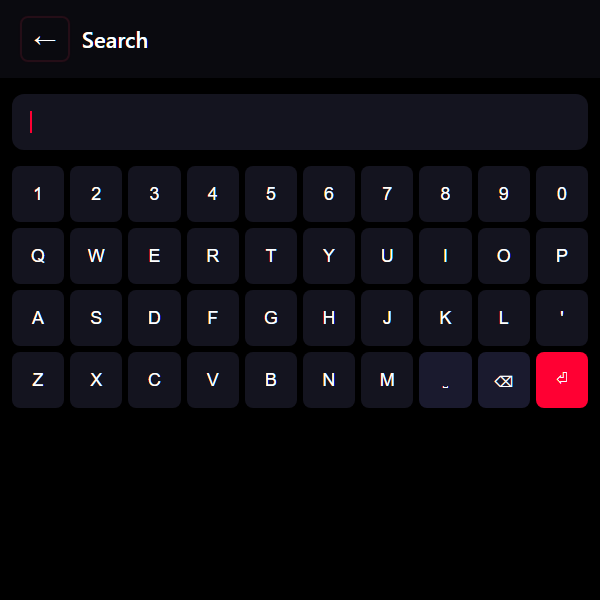
Screenshots show the prepared setup wording and search controls. No live search or video playback was used in this preview.
At your fingertips
- Add your own YouTube Data API key in Settings before searching.
- Type with the on-screen keyboard or use supported voice input; select a result to open the player.